API Tokens
Reference for varsafe API tokens — creation, project and environment scoping, expiration, rotation, revocation, and security properties.
API tokens give CI/CD pipelines, automation scripts, and service accounts programmatic access to secrets without an interactive login. This page is the token reference; for step-by-step pipeline setup, see the CI/CD guide.
Overview
| Property | User Session | API Token |
|---|---|---|
| Authentication | Browser-based login | Bearer token in environment |
| Scope | All teams you belong to | Exactly one team (optionally narrowed) |
| Expiration | 7 days, rolling renewal | Fixed, set at creation (plan-capped) |
| Audit trail | Shows user email | Shows the token as actor |
| Best for | Interactive CLI use | Programmatic access |
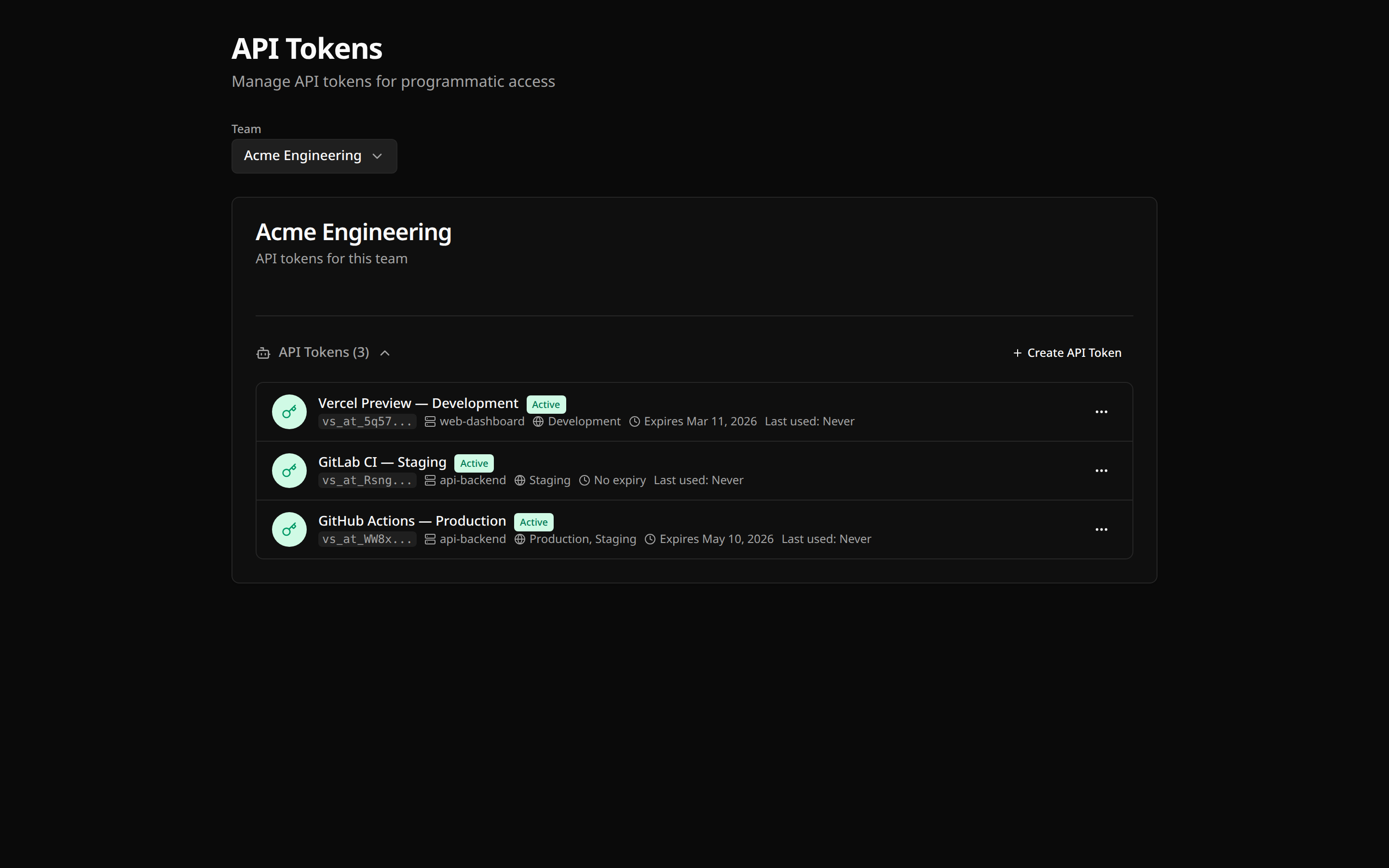
Token Properties
- Team-scoped — a token belongs to exactly one team and can never access another team’s data
- Name — 1–100 characters, for identification (e.g., “GitHub Actions - Production Deploy”)
- Project scoping (optional) — restrict the token to specific projects; unscoped tokens can access all of the team’s projects
- Environment scoping (optional) — restrict the token to specific environments by slug (e.g., only
staging); unscoped tokens can access all environments - Expiration (always set) — every token expires. If you do not choose a lifetime, the plan maximum is applied:
| Plan | Maximum token lifetime |
|---|---|
| Developer | 90 days |
| Team | 365 days |
- Format — tokens start with the
vs_at_prefix; only a salted hash is stored server-side - Last-used tracking — each authenticated request records the timestamp, IP address, and user agent, visible in the dashboard
Creating a Token
Only owners and admins can create and manage tokens (roles reference).
- Go to your team settings in the dashboard
- Navigate to API Tokens
- Click Create token
- Enter a descriptive name
- Optionally scope the token to specific projects and environments
- Optionally set a shorter expiration than the plan maximum
- Click Create and copy the token immediately
Using a Token
Set the token in the environment; the CLI picks it up automatically. VARSAFE_API_TOKEN is the primary variable, VARSAFE_TOKEN is an accepted alias:
export VARSAFE_API_TOKEN=vs_at_vsafe_example
varsafe run -p my-api -e production -- ./deploy.sh
For a persisted login (saved to the encrypted credential store), use one of the safe input paths:
# Secure prompt — masked input, nothing in shell history
varsafe login -T

# Stdin pipe — from a CI secret or secure store
echo "$VARSAFE_TOKEN" | varsafe login -t -

# Environment variable
VARSAFE_TOKEN=vs_at_vsafe_example varsafe loginSee CLI Authentication for all input methods, and the CI/CD guide for GitHub Actions, GitLab CI, and other pipeline recipes.
Rotation
Rotation revokes the old token and issues a new one with the same name and scoping in a single step:
- Go to team settings → API Tokens
- Click Rotate next to the token
- Copy the new token
- Update your CI/CD secrets
Revocation
If a token is compromised or no longer needed:
- Go to team settings → API Tokens
- Click Revoke next to the token
- Confirm revocation
Revocation is immediate and permanent.
Security Properties
- Hashed at rest — varsafe stores a salted hash, never the token value
- Shown once — the plaintext value exists only in the creation response
- Always expiring — no forever-tokens; the plan cap bounds the damage window of a leak
- Scoping narrows blast radius — a token scoped to one project and one environment can leak nothing else
- Audited — creation, update, rotation, revocation, and deletion each produce an audit event (
api_token.*), and every secret access by a token is logged with its identity
Best Practices
Troubleshooting
Invalid token
- Verify the token is correct (no extra spaces or line breaks)
- Check whether the token was revoked or has expired (team settings → API Tokens)
- Ensure
VARSAFE_API_TOKEN(orVARSAFE_TOKEN) is set in the environment the command runs in - Try
varsafe login -Tto paste the token with masked input
Token not authorized
- The token may belong to a different team than the project you are targeting
- The token may be scoped to other projects or environments — check its scoping in the dashboard
Rate limited
Token requests share the standard authenticated API rate limits (per-second, per-10-second, and per-minute windows). If a pipeline is throttled, reduce request frequency or batch work; for sustained higher limits, contact support.
Multiple Environments
Option 1: One token, environment scoping open, select at run time
varsafe run -p my-api -e staging -- ./deploy.sh
varsafe run -p my-api -e production -- ./deploy.sh
Option 2: Separate tokens per environment
Create one token scoped to staging and another scoped to production. Each pipeline can only touch its own environment, and the audit trail separates them cleanly.
Security Checklist
- Tokens stored in CI/CD secrets, not in code
- Each pipeline has its own token
- Tokens scoped to the narrowest project/environment set that works
- Unused tokens revoked
- Expirations set to the shortest workable lifetime
- Audit logs reviewed regularly